
Edmtrain Concerts & Raves
EDM Train LLCEvents
4.9803.00 Reviews
- Version
- Varies With Device
- Installs
- 100.00K
- Age Rating
- Teen
Screenshots
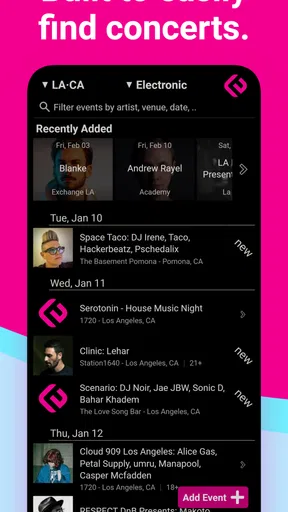
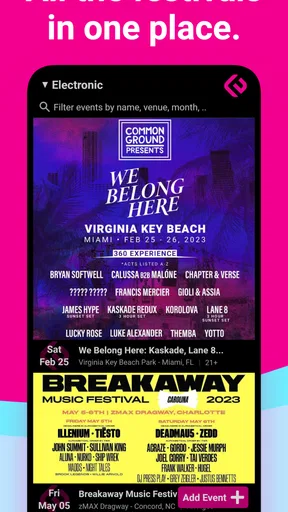
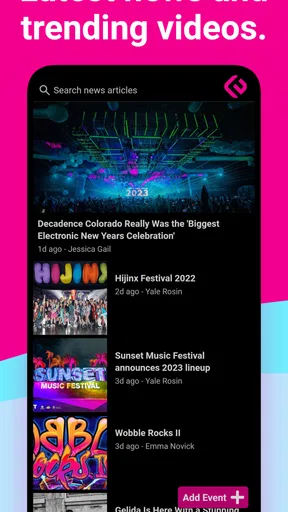
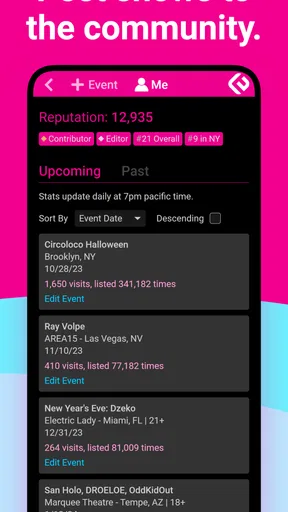
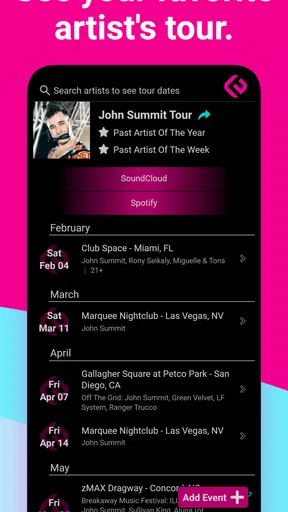
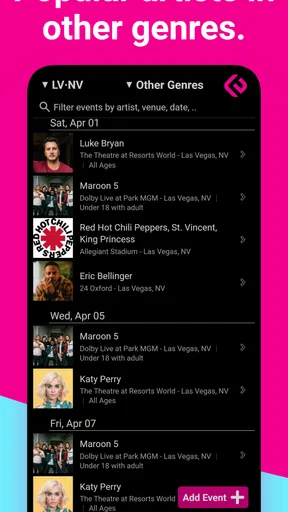
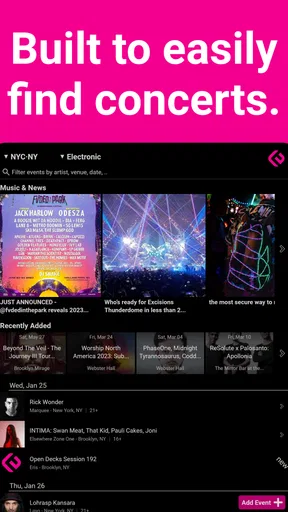
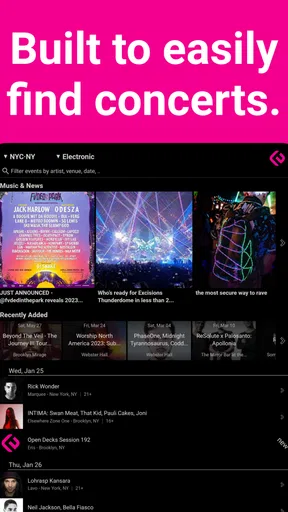
Our Review of Edmtrain Concerts & Raves
 Analysis by Appyee
Finding an electronic music event is easy when you already know the venue or artist you want. It becomes much harder when you are new to a city, unsure which promoters are reliable, or simply want something to do this weekend without searching through several social feeds. Edmtrain Concerts & Raves is built around that exact problem: helping me browse EDM shows in a chosen area and turn a vague plan into a real night out.
I reviewed it as an events app rather than as a music player or ticket marketplace. That distinction matters. Its value is in discovery: seeing which electronic shows are happening nearby, checking the artists attached to them, and finding unfamiliar names that might otherwise pass unnoticed. The app is free, aimed at a Teen audience, and developed by EDM Train LLC. It has been around since January 25, 2013, which gives it a more established feel than a brand-new event directory.
The store page presents it as a way to find EDM shows near you, but my useful takeaway is slightly more specific: it works best as a planning layer before you buy a ticket. I would open it when I know I want house, techno, trance, bass, or another electronic style, but do not yet know where to go. I would not treat it as a replacement for every venue’s official page, because the final details of an event still deserve a careful check before I leave home.
What to expect when you open the app
The first impression is focused rather than overloaded. This is not trying to be a general entertainment calendar containing theater, sports, restaurants, and local festivals. The subject is electronic music, so the browsing experience makes more sense if you already have some interest in DJs, club nights, raves, or dance festivals.
The main benefit is the ability to look at events as a local stream instead of searching artist by artist. That changes the way I discover shows. If I search for one favorite DJ on a normal web search, I may find a single date and miss several smaller events happening the same weekend. In this app, I can begin with the location and then scan the available choices, which is a better approach when I am flexible.
A first-time user should expect the usefulness to depend on choosing the right area. A location that is too broad can produce more events than are practical to compare, while a location that is too narrow can make the calendar look empty. I found that the best mindset is to start with the city where I actually plan to spend the evening, then widen my search only when I am willing to travel.
The app is particularly helpful for three kinds of people. The first is someone who has just moved and wants to learn the local EDM scene. The second is a regular concertgoer who wants one place to check before making weekend plans. The third is a fan who follows several artists but does not want to monitor every artist page separately.
It is less suitable for someone who wants a complete guide to every kind of nightlife. If your priority is restaurant reservations, general city events, or a broad social calendar, a city guide will probably be more useful. Likewise, if you already have a ticket and only need entry instructions, the venue or ticket provider may be the better source for last-minute information.
Why the focused catalog is useful
The narrow subject is one of the app’s strongest qualities. A general event service often buries club shows beneath unrelated listings. Here, the electronic-music focus gives me a faster route to the kind of night I am actually considering. I can browse with a musical purpose instead of filtering a large calendar from scratch.
That focus also makes it easier to use the app for discovery rather than only confirmation. I might open it expecting to see one familiar artist, notice another event on the same evening, and then compare the two based on location and lineup. This is a more realistic way to plan a night out than deciding on the first result that appears in a search engine.
There is a trade-off, though. A focused event directory is only as useful as the coverage in the area I select. In a major electronic-music market, the list can feel like a practical starting point. In a smaller area, I may need to widen the search or check local venue calendars as well. I see that as a reason to use this app alongside official sources, not as a reason to dismiss it.
Getting set up without overthinking it
Installation is straightforward because the app is free and its purpose is immediately clear. I would not spend time creating a complicated plan before opening it. The first meaningful setup task is simply making the location useful. Choose the city or area where you expect to go out, rather than automatically relying on a location that is technically nearby but inconvenient for your evening.
For a first session, I recommend starting with a realistic question: “What could I attend this weekend?” That gives the app a practical job. Instead of browsing endlessly, I can look for events that fit my day, travel range, and musical taste. Once I find a promising listing, I can then investigate the artist and venue separately.
One small but important habit is to check the date before getting excited about an event. Event browsing encourages quick scrolling, and a lineup that looks perfect may be scheduled on a night when I am unavailable. I also compare the event’s location with my actual route home. For a late concert, travel time can matter as much as the artist list.
The app’s Teen content rating makes it approachable for a broad audience, but that should not be confused with every listed event being appropriate for every attendee. Concert age rules, venue entry policies, and show-specific restrictions can differ. I would always verify those details through the event or venue information before purchasing anything, especially when attending with younger friends.
I also suggest keeping the app in the role of a discovery tool during setup. Do not assume that finding an event inside the app completes the booking process. The sensible workflow is to discover the show here, inspect the important details, and then use the official ticket or venue route when you are ready to commit.
The first successful action
The first success should not be merely opening a listing. It should be finding one event that genuinely fits your plans. I would select my area, scan the available shows, open a listing that catches my attention, and write down the practical details I need to verify: the date, venue, artist lineup, and the route I would take to get there.
A useful test is whether the app helps me answer three questions quickly: what is happening, where is it happening, and why might I want to attend? The artist information answers the last question, while the event location and date help me decide whether the show is realistic. If I can move from browsing to a clear shortlist, the app has already done its main job.
My recommended first-session workflow is simple:
Pick the city or area where you will actually be available.
Look across several event listings instead of opening only the first familiar artist.
Compare the lineup with the venue location and your travel plans.
Confirm the details through the relevant official event or venue channel before buying.
This approach avoids a common mistake: treating artist recognition as the only measure of a good event. A lesser-known lineup at a convenient venue may suit you better than a famous name that requires an exhausting trip. The app is most valuable when it gives me enough options to make that comparison.
Another useful tactic is to use it when friends ask, “What should we do tonight?” Instead of sending everyone into separate searches, I can browse the local EDM options first and bring back a short list. That makes group planning easier because the conversation begins with actual events rather than vague preferences.
How I would use it for a normal weekend
Imagine I have Saturday free, want electronic music, and have not chosen a performer. I would open the app earlier in the week, select my area, and scan the Saturday listings. I would separate the events into three groups: artists I already know, artists I want to investigate, and events that are attractive mainly because of the venue or timing.
After choosing two realistic candidates, I would check the official event information for ticket availability, entry requirements, and any schedule changes. If one event sells out or turns out to be too far away, I still have a second option. This is where the app provides more value than a one-off search: it helps me build a backup plan.
For someone new to EDM, the same workflow can reduce the fear of choosing badly. You do not need to understand every subgenre before using the app. Start with the artists or venues you recognize, then use the surrounding listings to discover something unfamiliar. If the event description does not tell you enough about the musical style, search the artist separately before deciding.
Common confusion and the limits I noticed
The biggest point of confusion is the difference between discovering an event and completing the night-out plan. Seeing a show in the app does not mean I should stop checking. I still want to confirm the official time, ticket route, venue rules, and whether the lineup has changed. Event information can move quickly, and a directory should be the beginning of the decision rather than the final authority.
Another possible misunderstanding is expecting the app to recommend music in the same way a streaming service does. Its purpose is centered on live events, not on building a personalized listening queue. I would not install it because I want mixes, songs, or an in-app radio experience. I would install it because I want to know where electronic artists are performing.
Location can also create friction. “Near me” is not always the same as “easy for me to reach.” A listing may be geographically close but poorly connected by public transport, while another may be farther away but simpler to reach. I treat the app’s location view as a starting point and make the final decision using my own transport plans.
Coverage is another practical consideration. The app is compelling when it gives me a useful selection of local shows, but I would not assume that every independent party, pop-up event, or small venue appears in one place. If I am searching for a very specific underground event, I would cross-check local promoters and venue calendars rather than relying on a single directory.
The app can also be less helpful when I already know exactly what I want and where to get it. If I have a confirmed ticket for a particular venue, the official source may provide more relevant information about entry, set times, parking, or changes. In that situation, opening this app may add little. Its strength is the stage before commitment, when I am comparing possibilities.
There is a human limitation too: a list of events cannot tell me whether I will enjoy the crowd, sound system, or atmosphere. Artist names and venue details are useful signals, but they are not a guarantee of the experience. I use the app to narrow my choices, then rely on more specific research and my own preferences for the final call.
Three habits that make the app more useful
First, browse before the weekend rather than waiting until the last hour. Earlier browsing gives me time to compare artists, check routes, and find alternatives. It also prevents the common situation where I choose an event simply because it is the first one I see while rushing.
Second, search with discovery in mind. I would open familiar listings first only to understand the local calendar, then deliberately inspect one or two unfamiliar names. This turns the app from a confirmation tool into a way of expanding my music options.
Third, separate “interesting” from “practical.” I might save a mental note of an exciting lineup, but I also ask whether the date, venue, travel distance, and entry conditions fit my actual life. That simple distinction prevents me from building plans around an event I cannot comfortably attend.
A fourth habit is especially useful for groups: agree on the area before comparing artists. Friends often start with different preferences and end up arguing over performers, when the real issue is how far everyone is willing to travel. Choosing the search area first makes the app’s results easier to discuss and produces a more realistic shortlist.
Who should install it and what to do next
I would recommend this app to anyone who regularly looks for electronic concerts, DJ sets, club nights, or rave-style events and wants a quicker way to see local possibilities. It is also a good first step for someone entering the EDM scene, because the event-focused layout gives you a practical list to explore without requiring deep knowledge of the community.
The public response suggests that many people find it useful: it holds a 4.9 average from around 4.5 thousand ratings, with roughly 795 written reviews, and has passed 100 thousand installs. Those figures do not replace my own judgment, but they fit my impression that the app has a clear purpose and an audience that returns to it for event discovery.
I would skip it if your interests are outside electronic music, if you need a complete all-purpose city calendar, or if you expect every booking and venue detail to be handled inside one app. I would also look elsewhere first when my main need is official last-minute information about a ticket I already own.
For everyone else, the next step is easy: install it, choose a useful area, and search for a date you genuinely have free. Open several listings, look beyond the biggest artist name, and create a shortlist based on both music and logistics. Then verify the final details through the appropriate official source before paying or traveling.
My overall opinion is positive because the app solves a specific problem without pretending to be something broader. It helps me move from “I want to hear EDM live” to a manageable set of real possibilities. The best results come when I use it as the discovery stage of a careful plan, not as the only source of truth. For that purpose, Edmtrain Concerts & Raves is a practical free companion for finding the next show worth considering.
Privacy and Permissions
See what permissions an app requests and how it handles your data.
- Other
- view network connections, full network access, prevent device from sleeping
Verdict
Strengths of Edmtrain Concerts & Raves
- Covers major EDM events across many North American cities.
- Useful filters help narrow events by date, location, and music style.
- Event listings often include venue details, lineups, and ticket links.
- Favorites make it easier to keep track of concerts you may attend.
- A practical tool for discovering local DJs and electronic music nights.
Limitations of Edmtrain Concerts & Raves
- Coverage is less useful outside the United States and Canada.
- Some event details may change without being updated immediately.
- Ticket purchases usually redirect to external websites or services.
- The app is mainly focused on electronic music and has limited genre variety.
- Smaller local events may be missing from the listings.
Similar Picks in This Category
View All
Easy Quran Mp3 Audio Offline
Muslim Worldapp4.7

Invitation Maker: Cards & RSVP
Greetings Island4.9

StubHub - Live Event Tickets
StubHub4.3

Fever: Events & Tickets
Fever Labs4.7

Epic Freebie Games Radar
Arioch Pds - Apps & Games4.4

Invitation card Maker, Design
Splendid App Maker4.9
Frequently Asked Questions
What is Edmtrain Concerts & Raves used for?
Edmtrain Concerts & Raves is an event-discovery app for electronic dance music fans. It helps you find upcoming concerts, festivals, club nights, and raves by location, date, artist, or venue. After reviewing the app, its main value is the convenient way it organizes EDM events in one place, making it easier to plan nights out and discover artists performing near you.
Does Edmtrain Concerts & Raves show events in my city?
The app is designed to provide location-based event listings, so you can browse EDM shows near your current area or search other cities before traveling. Availability depends on the region and on whether local promoters submit their events to the platform. Larger music markets generally have more complete listings, while smaller locations may offer fewer results or less frequent updates.
Can I buy tickets directly through Edmtrain Concerts & Raves?
Edmtrain primarily functions as an event guide and discovery tool rather than a universal ticket marketplace. Many listings include links that direct you to the official promoter, venue, or ticket provider, where purchases are completed. Before paying, check the destination carefully and confirm the event date, venue, ticket terms, fees, and refund policy on the external ticketing website.
Can I search for specific DJs, artists, venues, or event dates?
Yes, the app is useful when you already have a particular artist or venue in mind, as well as when you simply want to explore what is happening on a selected date. Search and filtering options can help narrow the listings, although the exact results depend on the information supplied by event organizers. It is still wise to verify details through the official event page.
Is Edmtrain Concerts & Raves free to download and use?
The app is generally available as a free download, allowing users to browse event information without purchasing a subscription. However, downloading the app does not mean that concerts or festivals are free to attend. Ticket prices, service charges, venue fees, and possible in-app or external purchase requirements are determined by each event organizer, so review the final cost before checkout.
